
The Middleware server interacts with MicroPVR to add channel writing tasks via the API.
The Middleware server independently generates a URL to record the transfer, after which the device player opens this URL and accesses the MicroPVR server to read the stream.
Configure PVR and Pause Live TV in Microimpuls Smarty
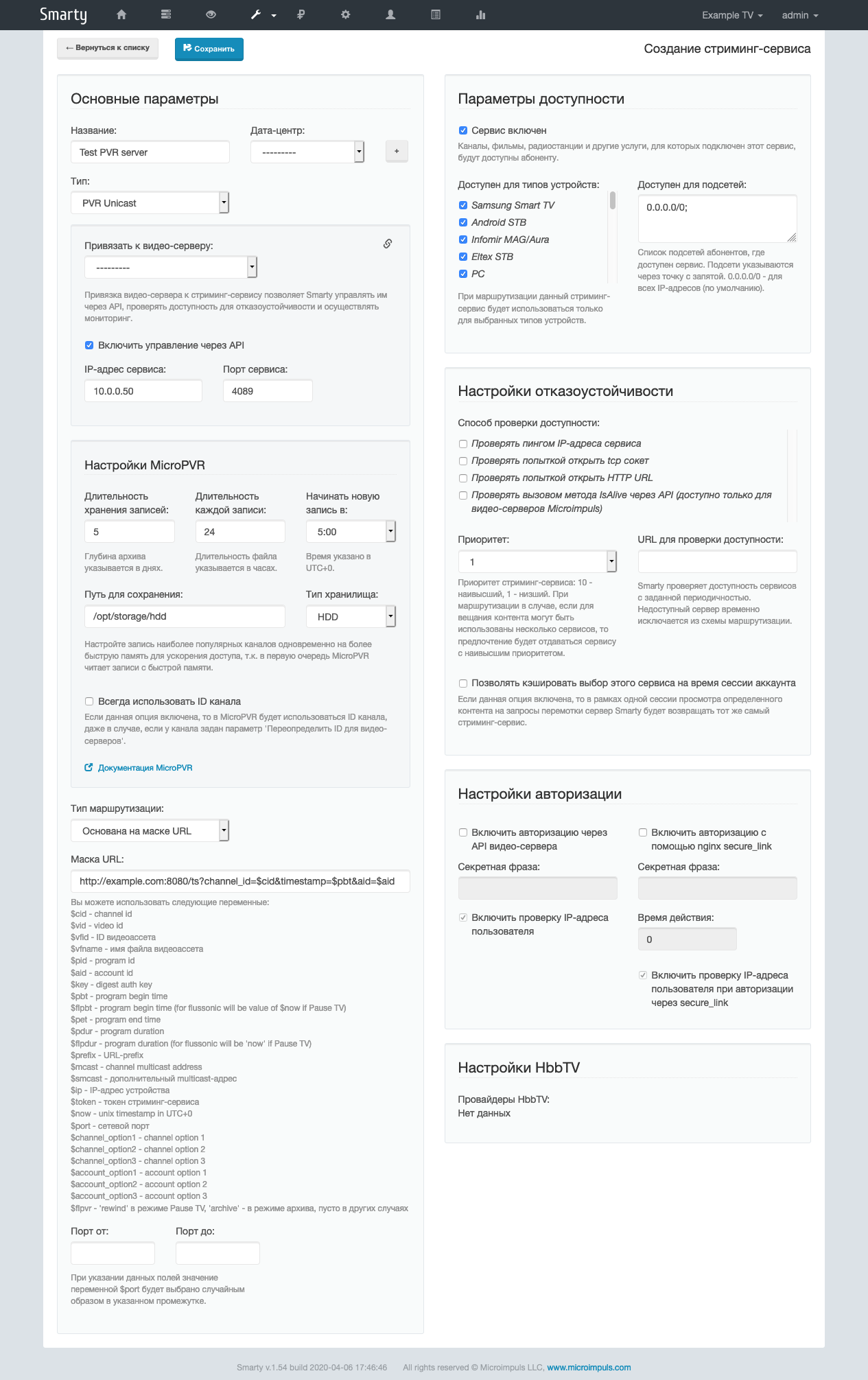
To configure the recording in Smarty, you need to add a streaming service with the type «PVR Unicast» specify the API connection settings, write depth settings, file storage path, storage type, and URL mask:
http://example.com:8080/ts?channel_id=$cid×tamp=$pbt&aid=$aid
Example:
Next, do not forget to connect the streaming service to the appropriate tariff package.
In the channel settings, you must specify the Multicast channel address and enable the streaming service created — after saving, the recording will begin automatically.
