
New in dashboard
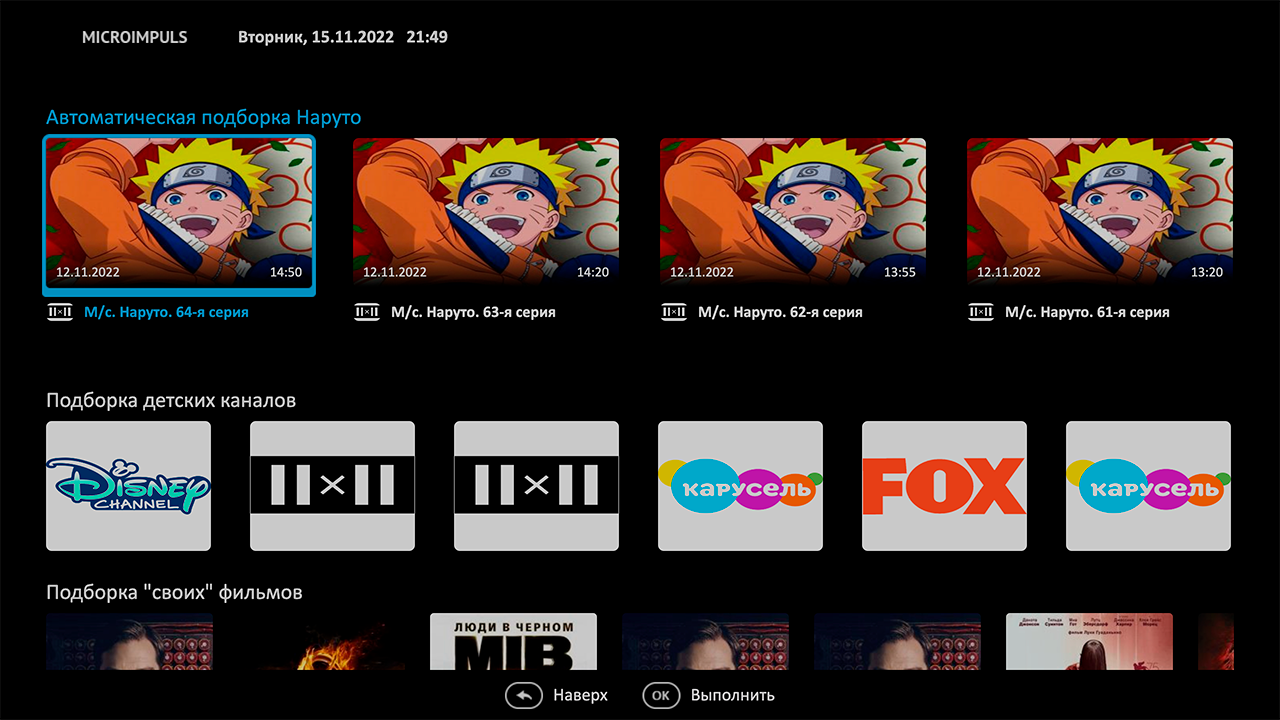
Tape Selection
A new type of tape «Selection » finally erases the boundaries of what is allowed in the dashboard — with its help you can create a set of cameras, programs, channels or films for absolutely any taste. You can create collections in the admin in the section « Content settings» -> «Selections».
Tape Player
The tape «Player» also accessed in this release — it plays the channel in focus in the tape below it. In addition to the tape with channels under the player, you can also arrange the tape with transmissions, the tape with films for playing in this player is not yet available.
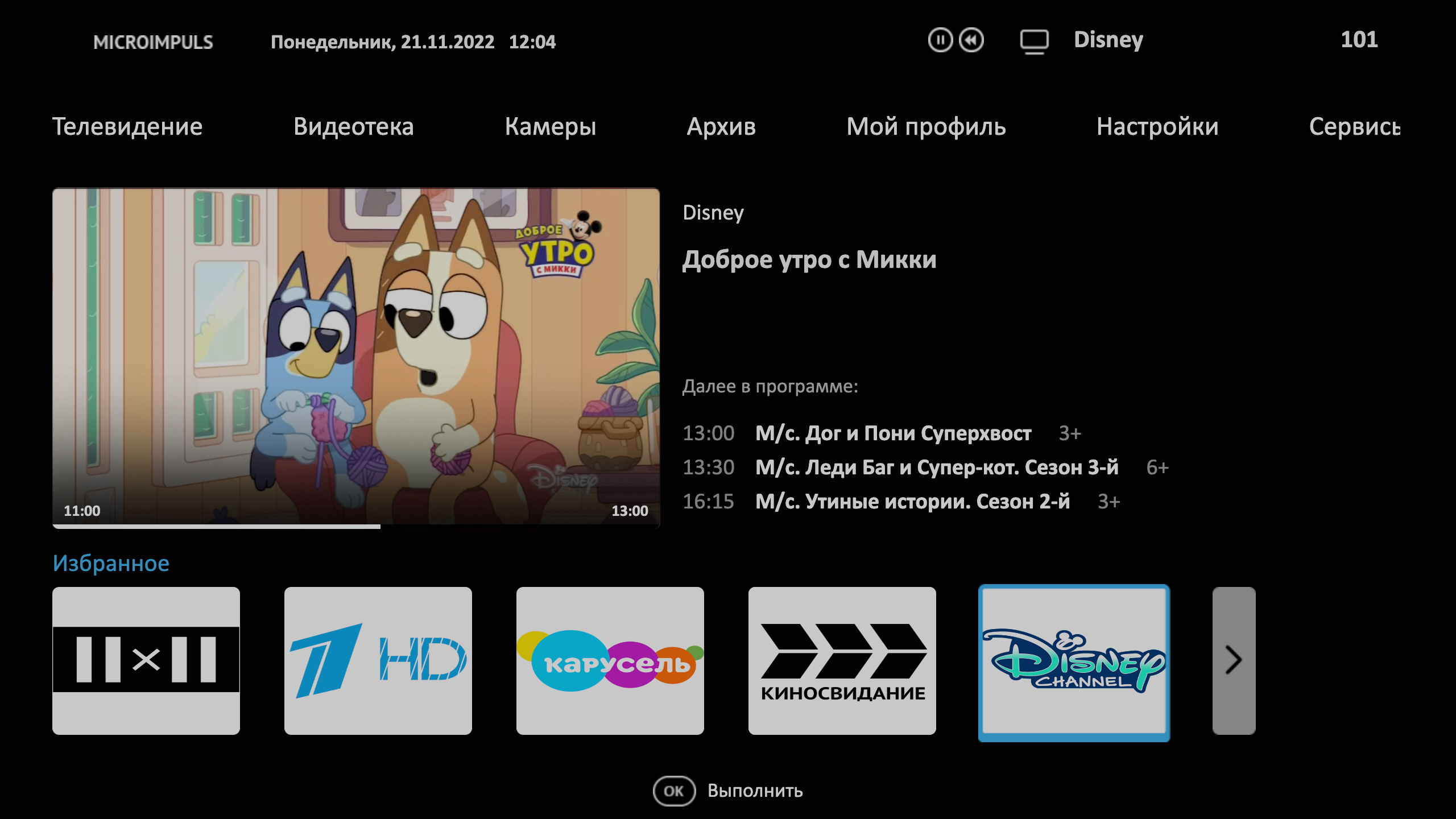
In general, the tape «Player» like the rest can be placed absolutely anywhere on the dashboard, but you recommend placing it on top so that it appears on the first screen of the dashboard — this configuration is the most advantageous from the point of view of design.
Minimalist mode of the main menu
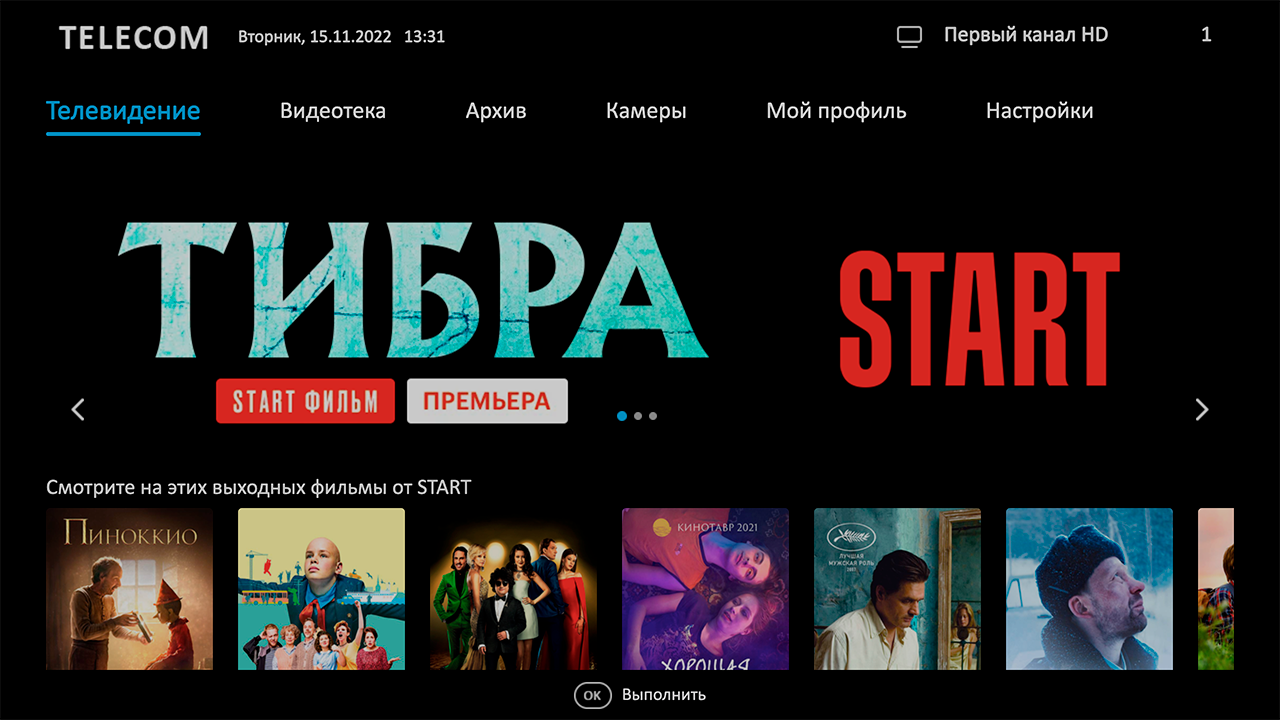
Among our operators there is an opinion that the classic tape of the main menu is knocked out of the overall design of the dashboard and eats the precious space on the screen. We took that into account and added it species the main menu for the dashboard mode.
Optimizing Dashboard Loading
The flexibility of our dashboard designer allows you to create an unlimited number of ribbons, so we have implemented several optimization to download them so that the user experience does not suffer in the name of beauty
Deeplinks by click on Slider
Now slider — it's not just pictures, it's been interactive with this release diplinque.
Instructions at the first start of the application
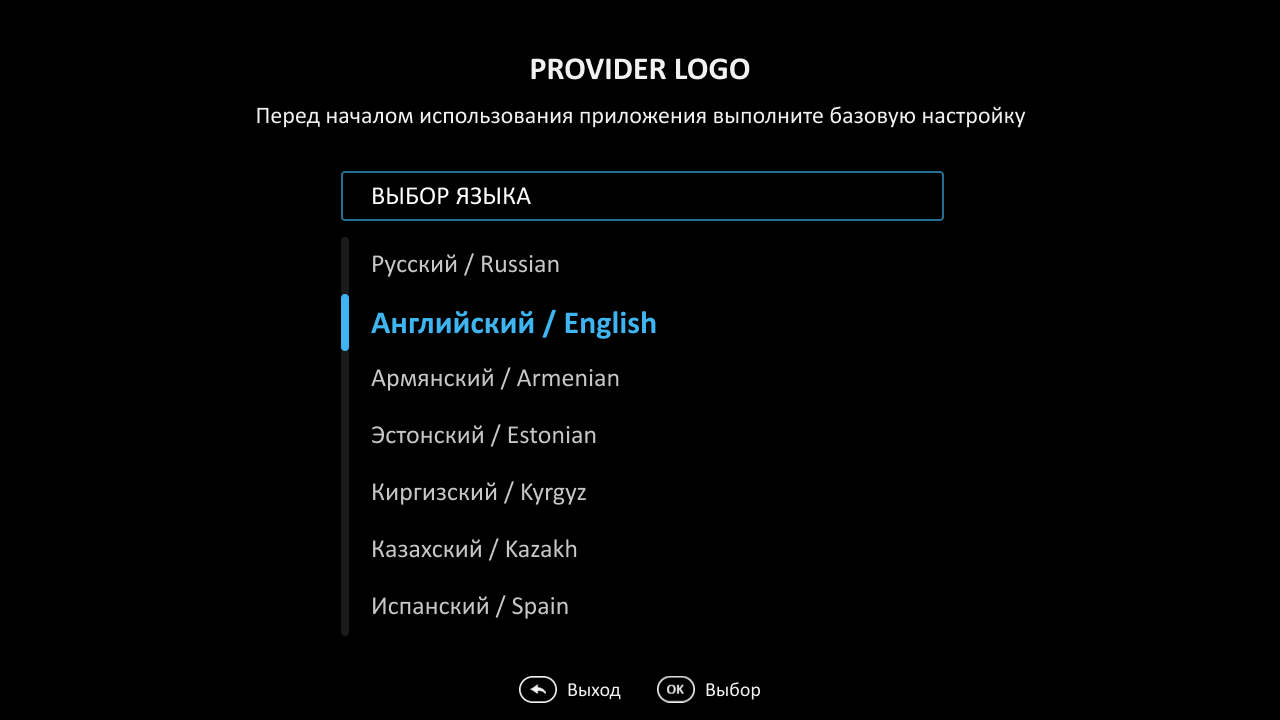
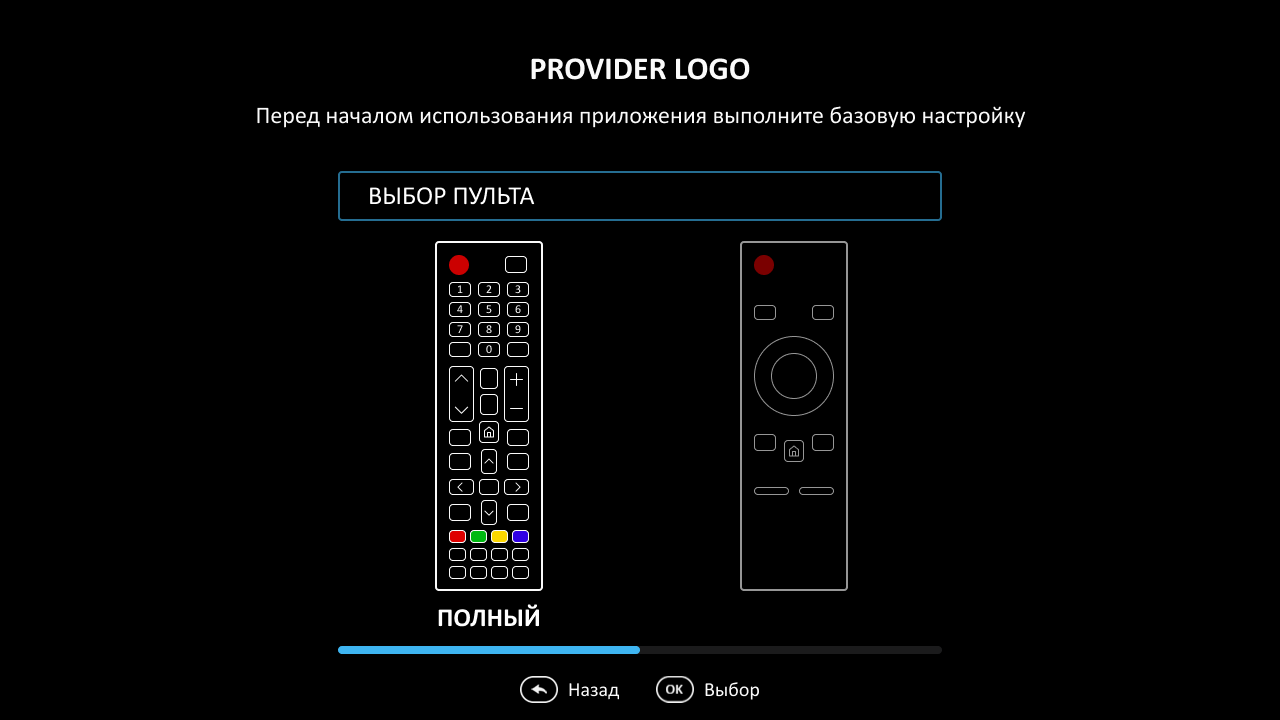
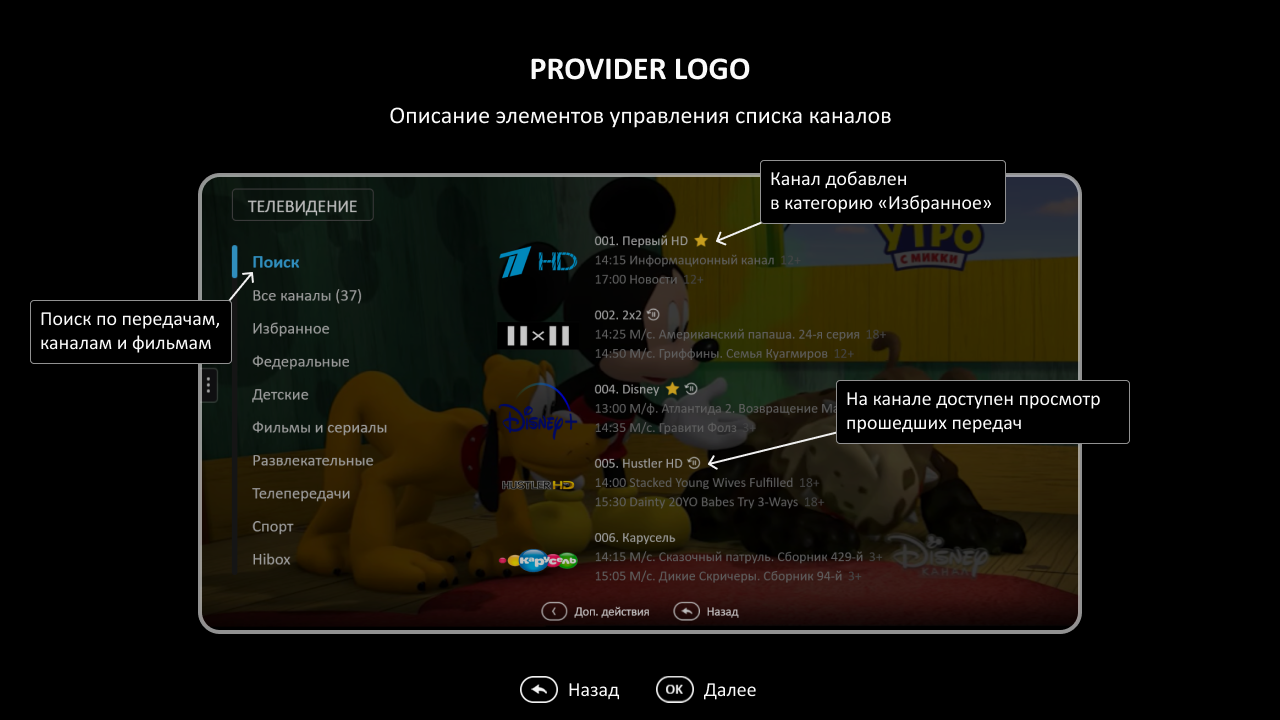
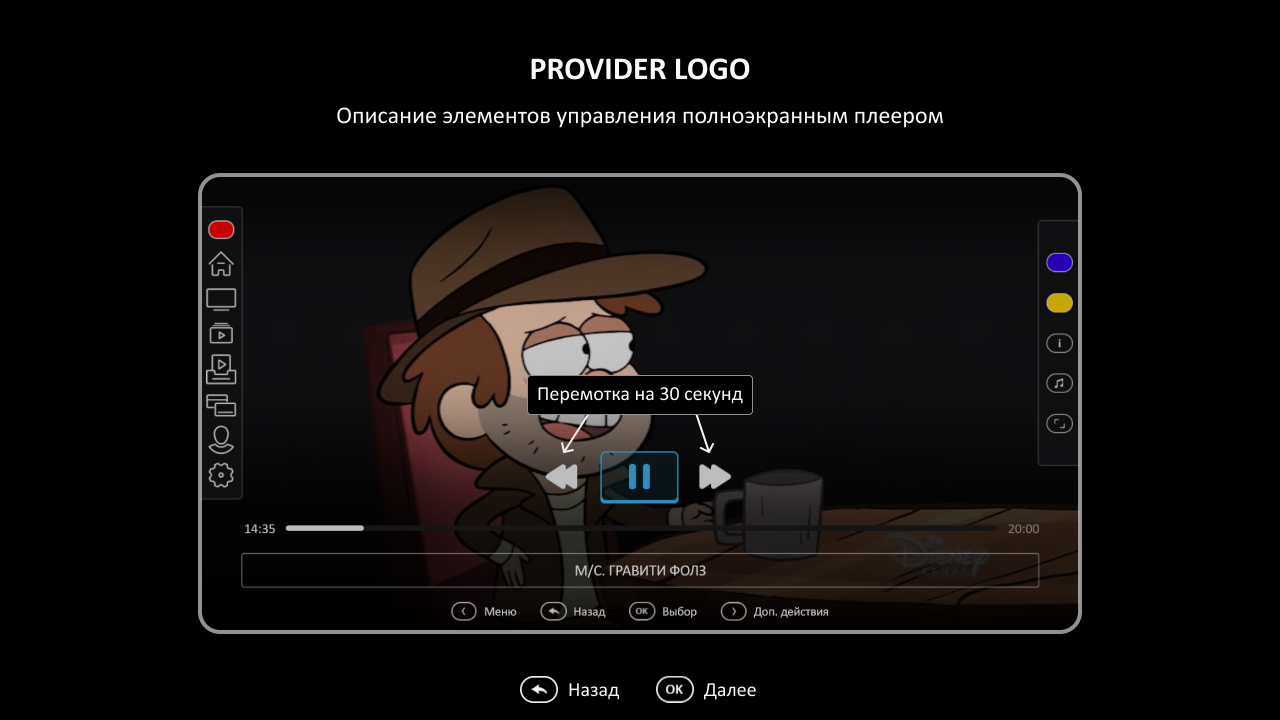
Sometimes it is very necessary for the user to be able to select the desired interface language and remote mode at the first start of the application, because in some situations there is a possibility that without this choice he simply will not be able to get to the section «Settings». Now with a new option show_setup_intro this scenario can be implemented.
Moreover, after selecting the remote and language, you can add the display of absolutely any instructions, for example, a registration guide or a series of pictures to familiarize yourself with the interface.
Seasons of series in Futuristic
Probably the most long-awaited functionality of this release — display seasons on the page description of the series. Without further ado: Instructions for enabling a new movie page mode — here.
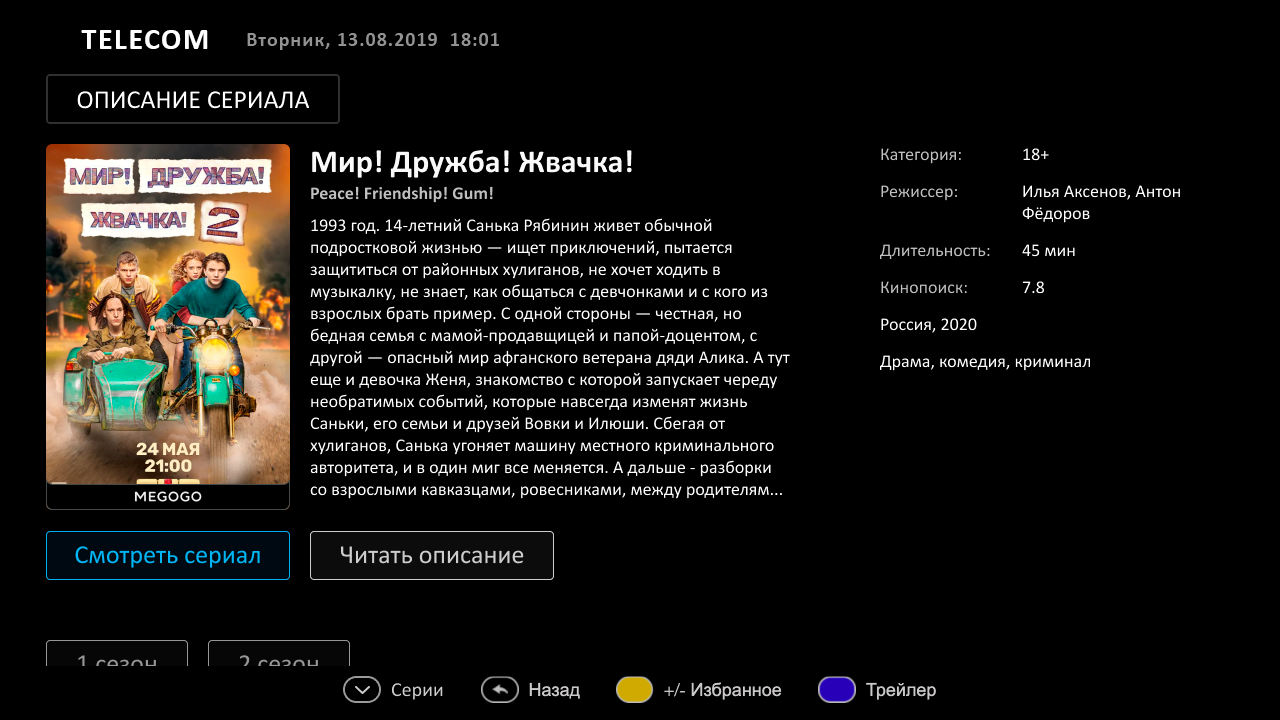
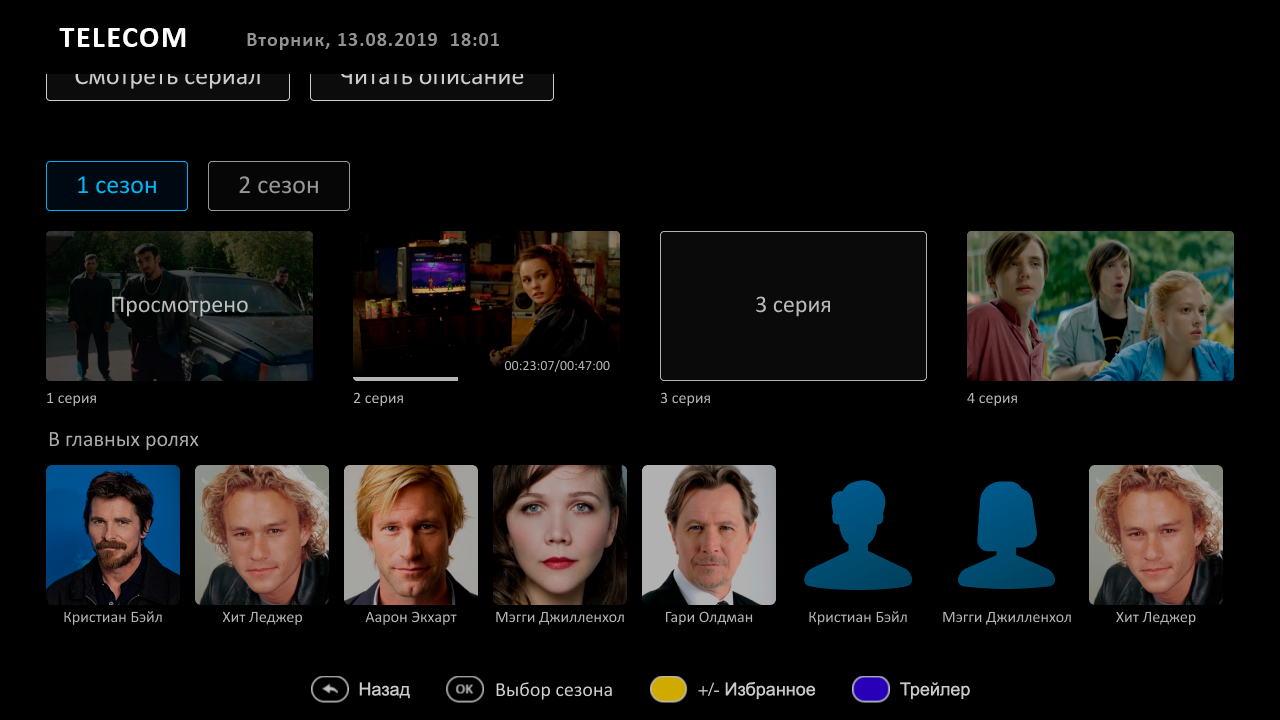
Installation of default player for Android STB 2.0
Android devices — are a whole uncharted world of puzzles and surprises and you can never be sure that the same player will work equally well on all boxes and TVs. Several releases ago, we released an assembly for Android devices with the option of choosing a player: Exoplayer, System Media Player and VLC. This release added new option, which allows you to set the default player used at the client.js level.
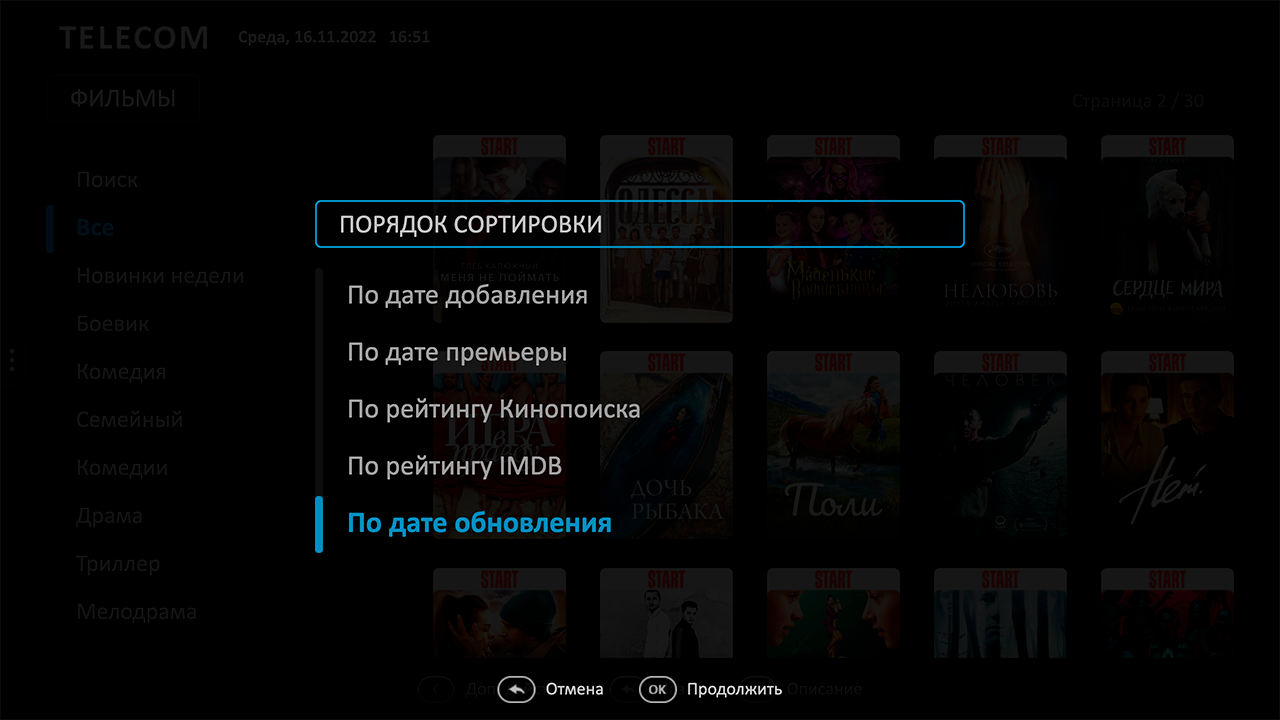
New option for sorting films
There is an opportunity to sort films not only by the date of their creation in Smarty, but also by the date of update (for example, this will allow you to pull up the series, which have a new series or season). At the same time, it became possible to set a new value of the option default_vod_sort_order.
New navigation option
Initially, in the very first version of the Futuristic template, navigation in a full-screen player returned by the button «Back» to the previous viewable channel — this navigation was previously popular on STB. During the publication of Futuristic in the stores on TVs, we faced the requirement to change this mechanism to return on the button «Back» on the previous screen and implemented this as part of the option samsung_guedlines_compatibility_mode.
But since this option in addition to navigation adjusts Futuristic to publish in other aspects, we have redefined the button «Back» in a separate option quit_player_with_back.
Optimization of programme updates
Some time ago, we noticed that the list of programs for channels is not updated quite optimally — the application sometimes sent a pool of the same queries in a row. Changes have been made to the EPG update mechanism to avoid this problem.
Engine
- Whale TV devices are now recognized in Smarty as Vewd devices.
- Fixed display preview player on Tizen TV devices.
- For LG Webos devices, the ability to run external applications has been added.
- Disabled display item «Radio» on LG Netcast devices.
Another in Futuristic
- Fixed the movie viewing mechanism from the last position viewed.
- Fixed a number of illogical transitions in navigation, as well as controversial states when quickly pressing buttons remote.
- Elements of scrolling legal documents have been put in order.
- The weight of the template is optimized.
Another in the Impuls
- A number of corrections have been made in the activation screens of promotional codes, legal documents, TV channels and TV channels for interests.
- Added visual edits to display the template on LG Netcast.
- The correct display of the subtitle path selection menu has been restored.
